
Introduction
If you cannot log in to your Hosting Ireland Client Area, you may need to reset your password. This guide explains how to request a password reset, create a new password, and what to check if the reset email does not arrive.
Your Client Area is used to manage your services, invoices, renewals, contact details and support tickets.
Step One
Go to :
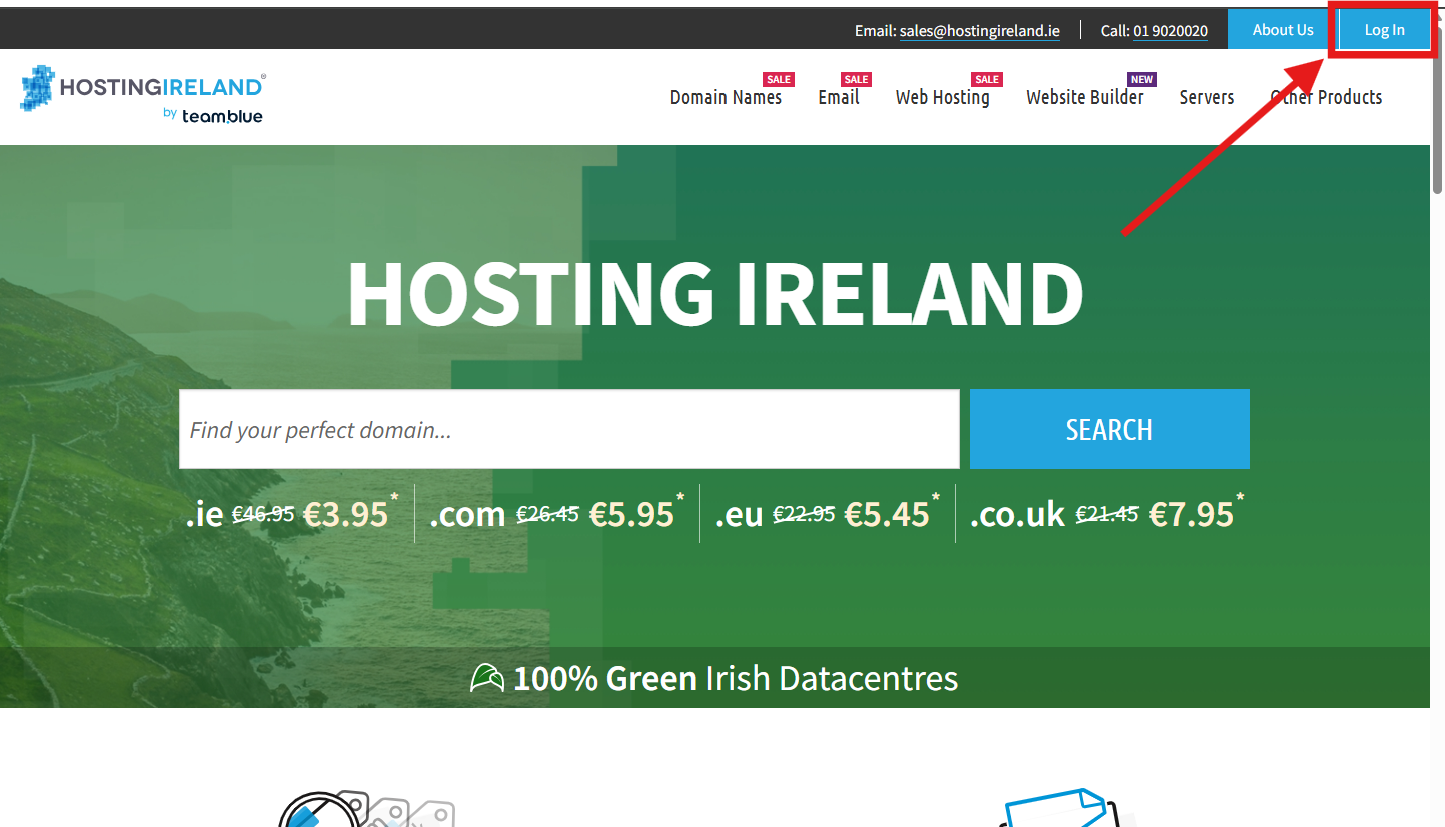
Once on the website, choose “Log in” found on the top right-hand side of the page
Step Two
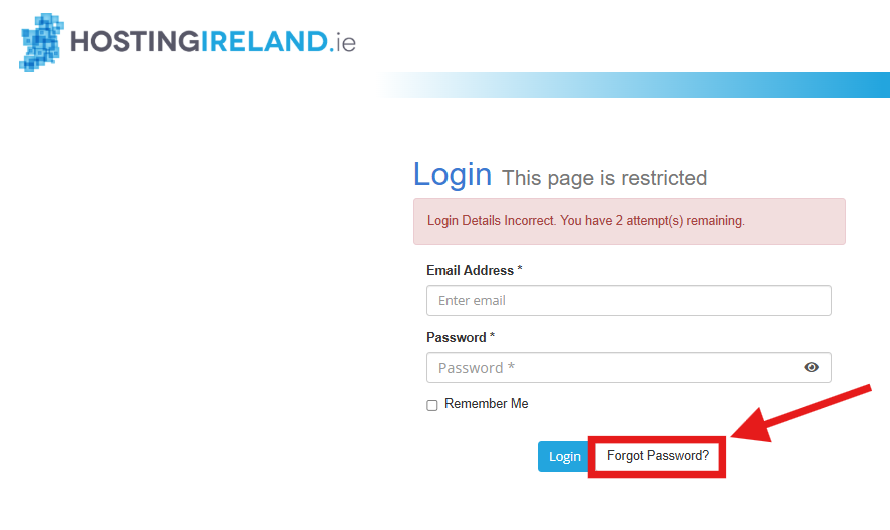
You will be taken to the Client Area login page.
Enter your email address and password.
Your login email address is usually the email address used when the account was created.
If your login details are not accepted, you may see the message:
Login Details Incorrect. You have 2 attempt(s) remaining.
Select Forgot Password? to begin the password reset process.
Step Three
Enter the email address linked to your Hosting Ireland account, then select Submit.

Step Four
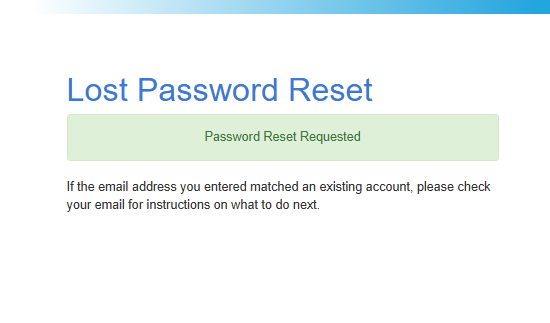
You should see a confirmation message advising that a password reset request has been submitted.
For security reasons, this page will not confirm whether the email address matches an account.
Step Five
Check your email inbox for the password reset email. This should usually arrive within a few minutes.
If you cannot see the email, check your Junk, Spam or Promotions folder.
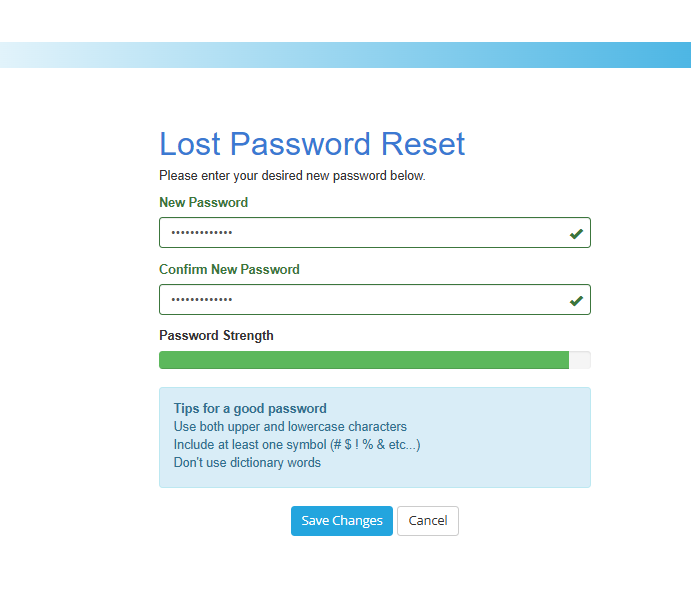
When the email arrives, select the reset link and enter your new password.
Your password must:
- Be at least 8 characters long
- Include uppercase and lowercase letters
- Include at least one symbol
Avoid using common words or passwords you have used elsewhere.
Step Six
Once your new password has been saved, return to the Client Area login page and log in using your email address and new password.
If you still cannot log in, check the following:
· Make sure your browser is not automatically entering an old saved password.
· Clear any saved password for hostingireland.ie and type the new password manually.
· Make sure you are using the correct email address for the account.
· Make sure there are no extra spaces before or after the email address or password.
· Try using a private/incognito browser window.
If the issue continues, you can try resetting the password again in case the new password was entered incorrectly.
What happens if I never receive the reset password email?
If you have waited more than 15 minutes and the reset email has not arrived in your Inbox, Junk or Spam folder, the email address entered may not be the main email address on the account.
The correct email address is usually the one that receives your Hosting Ireland renewal reminders and invoices. This may be an external address, such as Gmail, Outlook or another business email address.
If you are unsure which email address is linked to your account, please call our Customer Care team on:
01 9020020
Once security has been cleared, we can help confirm the correct email address to use.

'%3e%3cg id='Final-Copy-2_2_' transform='translate(1275.000000, 200.000000)'%3e%3cpath class='st0' d='M7.4,12.8h6.8l3.1-11.6H7.4C4.2,1.2,1.6,3.8,1.6,7S4.2,12.8,7.4,12.8z'/%3e%3c/g%3e%3c/g%3e%3c/g%3e%3cg id='final---dec.11-2020'%3e%3cg id='_x30_208-our-toggle' transform='translate(-1275.000000, -200.000000)'%3e%3cg id='Final-Copy-2' transform='translate(1275.000000, 200.000000)'%3e%3cpath class='st1' d='M22.6,0H7.4c-3.9,0-7,3.1-7,7s3.1,7,7,7h15.2c3.9,0,7-3.1,7-7S26.4,0,22.6,0z M1.6,7c0-3.2,2.6-5.8,5.8-5.8 h9.9l-3.1,11.6H7.4C4.2,12.8,1.6,10.2,1.6,7z'/%3e%3cpath id='x' class='st2' d='M24.6,4c0.2,0.2,0.2,0.6,0,0.8l0,0L22.5,7l2.2,2.2c0.2,0.2,0.2,0.6,0,0.8c-0.2,0.2-0.6,0.2-0.8,0 l0,0l-2.2-2.2L19.5,10c-0.2,0.2-0.6,0.2-0.8,0c-0.2-0.2-0.2-0.6,0-0.8l0,0L20.8,7l-2.2-2.2c-0.2-0.2-0.2-0.6,0-0.8 c0.2-0.2,0.6-0.2,0.8,0l0,0l2.2,2.2L23.8,4C24,3.8,24.4,3.8,24.6,4z'/%3e%3cpath id='y' class='st3' d='M12.7,4.1c0.2,0.2,0.3,0.6,0.1,0.8l0,0L8.6,9.8C8.5,9.9,8.4,10,8.3,10c-0.2,0.1-0.5,0.1-0.7-0.1l0,0 L5.4,7.7c-0.2-0.2-0.2-0.6,0-0.8c0.2-0.2,0.6-0.2,0.8,0l0,0L8,8.6l3.8-4.5C12,3.9,12.4,3.9,12.7,4.1z'/%3e%3c/g%3e%3c/g%3e%3c/g%3e%3c/g%3e%3c/svg%3e) Your Privacy Choices
Your Privacy Choices